MVF owns and operates a range of informative websites that generate revenue through leads and affiliate links. These sites were built on various platforms with vastly different back-ends, page designs, and branding. Project Iris was created to unify these websites under a single platform with consistent architecture and a streamlined editor experience.
My role was to oversee the transition from a UI perspective, collaborating with a colleague to design and implement a multi-brand design system for Iris websites.
The project had an ambitious timeline and multiple stakeholders—many of whom were uncertain about its impact on their workflows, teams, and sites. Navigating these challenges, alongside the complexities of building a multi-brand design system, was critical to our success.
Discovery & Planning
We started by tackling three key tasks:
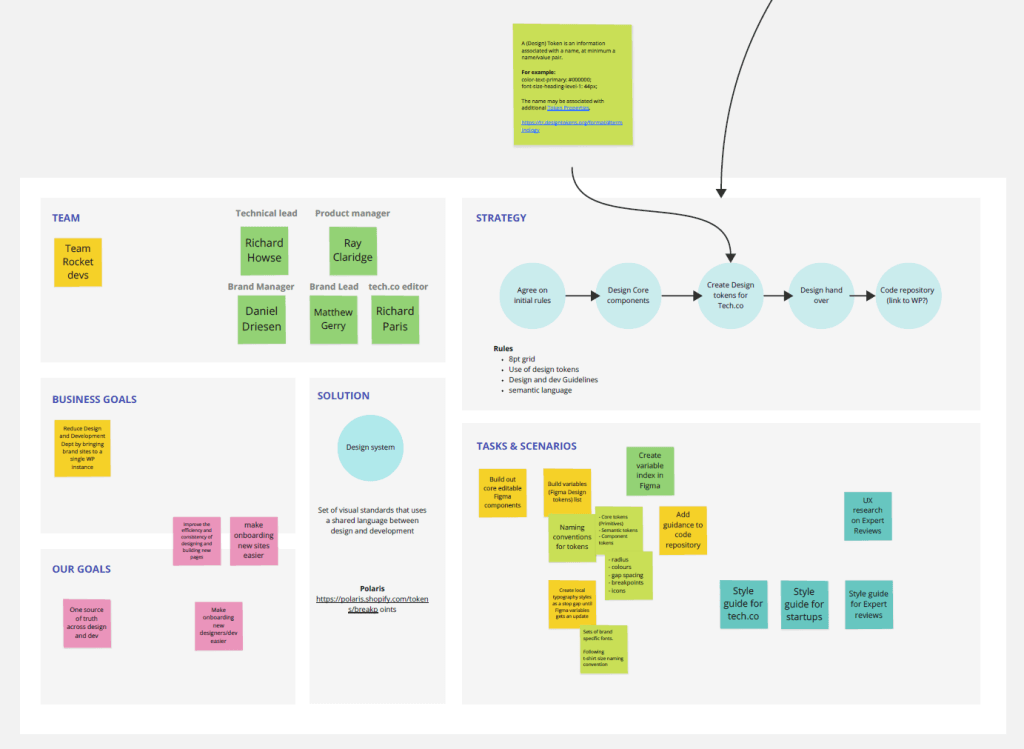
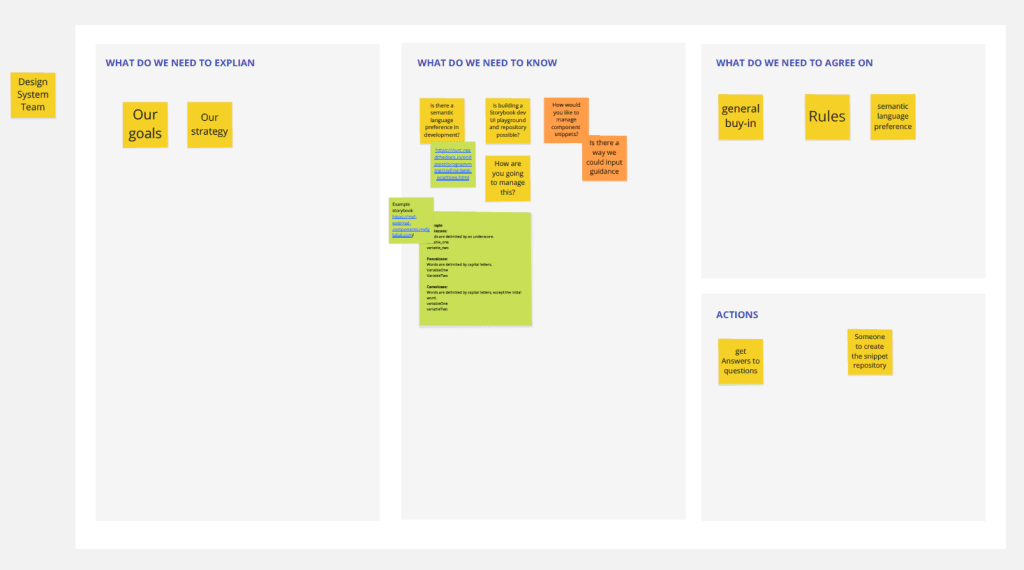
- Assessing existing resources – We discovered a previous design team had started a design system, but it lacked a multi-brand approach, didn’t use design tokens, and wasn’t adopted by developers. Given these limitations, we decided to build a new system from scratch tailored specifically for Iris.
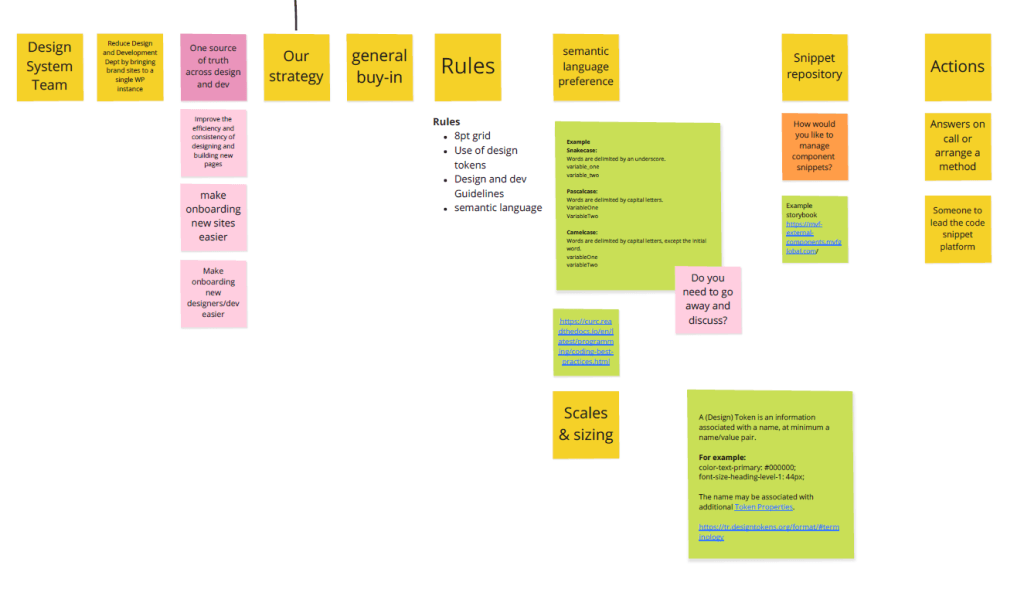
- Defining our design system goals – Beyond the broader business objectives, we wanted to improve efficiency and consistency within the design team.
- Reviewing the first websites migrating to Iris – This helped us define the system’s initial requirements.
To ensure adoption across teams, we built early rapport with developers, established clear ways of working, and held regular feedback sessions.
We then identified the key components of the design system:
- Component Library
- Page Templates
- Token Library
- Documentation & Guidelines
For system-wide consistency, we agreed on:
- An 8pt grid system
- Semantic naming conventions for colors, spacing, and typography
- A structured handover process between design and development
Building the Component Library
We started by designing only the components needed for the first site, knowing the library would expand as more complex sites were added. Each component was built with core visual attributes, forming the foundation of our design token library.
Initially, we used component variants to demonstrate responsiveness across devices. Later, we introduced variables, significantly speeding up the creation of brand-specific templates.
Design Tokens
This was the first time anyone on our team had worked with design tokens—an exciting but slightly daunting challenge. Given the evolving nature of design token methodologies, we researched extensively before settling on an approach.
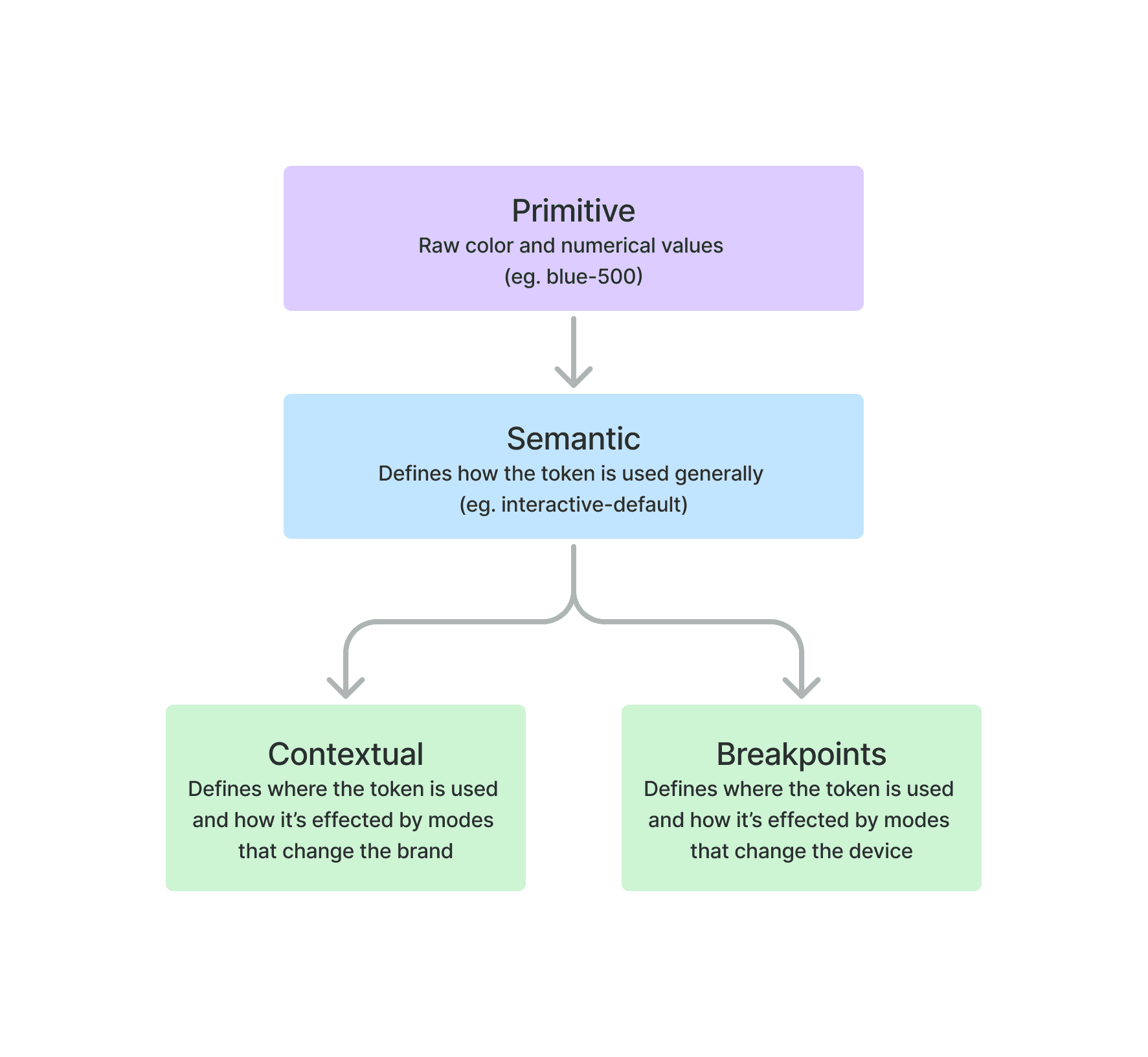
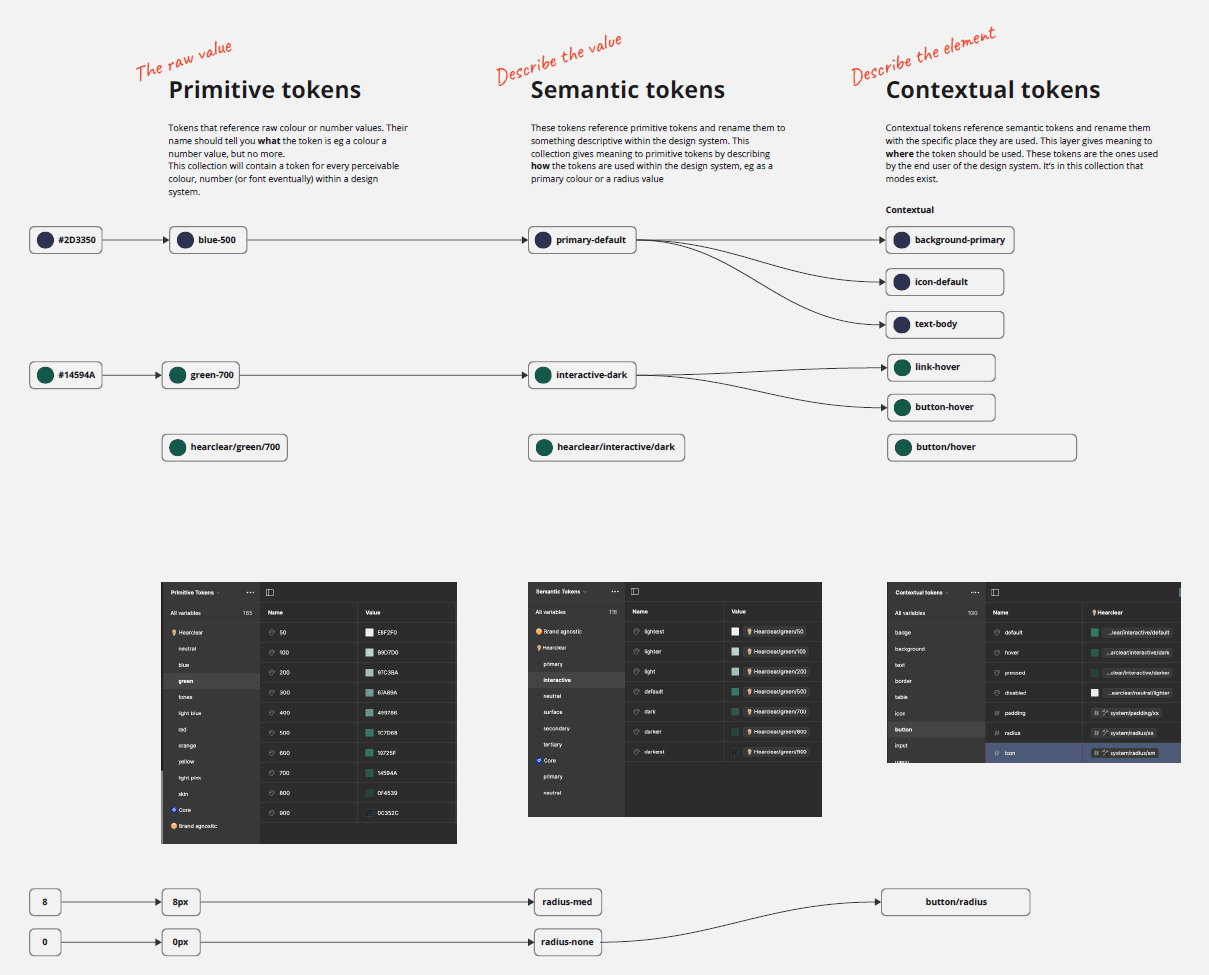
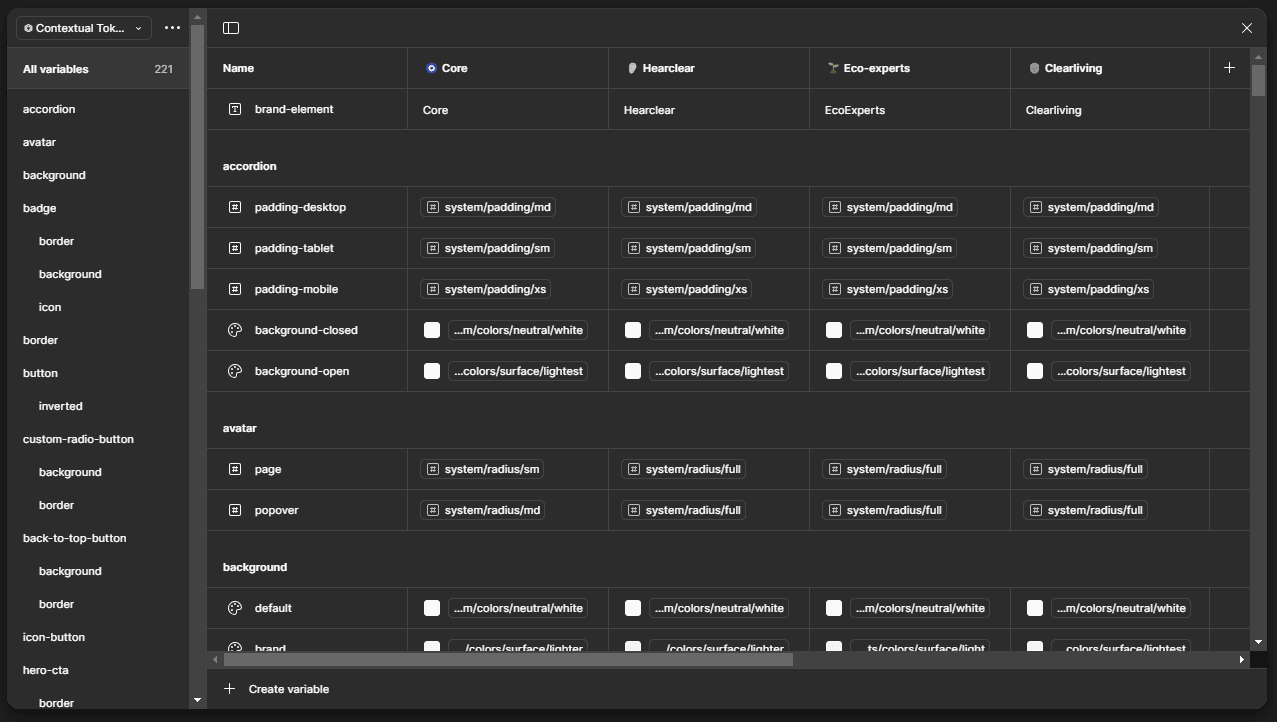
We structured our tokens into four groups:
- Primitive – Raw values (e.g.,
blue-500) - Semantic – Mapped to primitives with functional intent (e.g.,
interactive-default) - Contextual – Defines specific usage (e.g.,
link-default), with built-in brand styling modes - Spacing & Sizing – Consistent across brands but adjustable at different breakpoints
This structure allowed global or local styling control, making brand customization seamless.
Page Templates
Iris websites share a core set of page and post templates, with variations depending on the brand. We designed full page templates for stakeholder approval and developer reference. These templates also served as testing grounds for new components and design updates.
Guidelines & Handover Docs
Each component and template was documented with usage guidelines, responsiveness details, and interaction behaviors. Initially, our documentation was too detailed, so we refined it over time to strike the right balance.
Adding New Brands to Iris
Once design tokens were in place, onboarding new brands became a simple process. We only needed to define:
- A few color tokens (brand, surface, interactive colors)
- Typography and logo tokens
After that, we could duplicate templates, switch the brand mode, and watch Figma update everything instantly!
Conclusion
This project was both challenging and highly rewarding, and I’m incredibly proud to have been part of it. A huge shoutout to my partner-in-crime on Iris, Patrick Murray.